Studios
On-model photos from a flat-lay.
Upload the shot you already have — flat on a table, on a hanger, on a dress form — and get the same garment worn by a real-looking model, lit like a studio shoot.
5 credits per image at 2K, 7 at 4K.
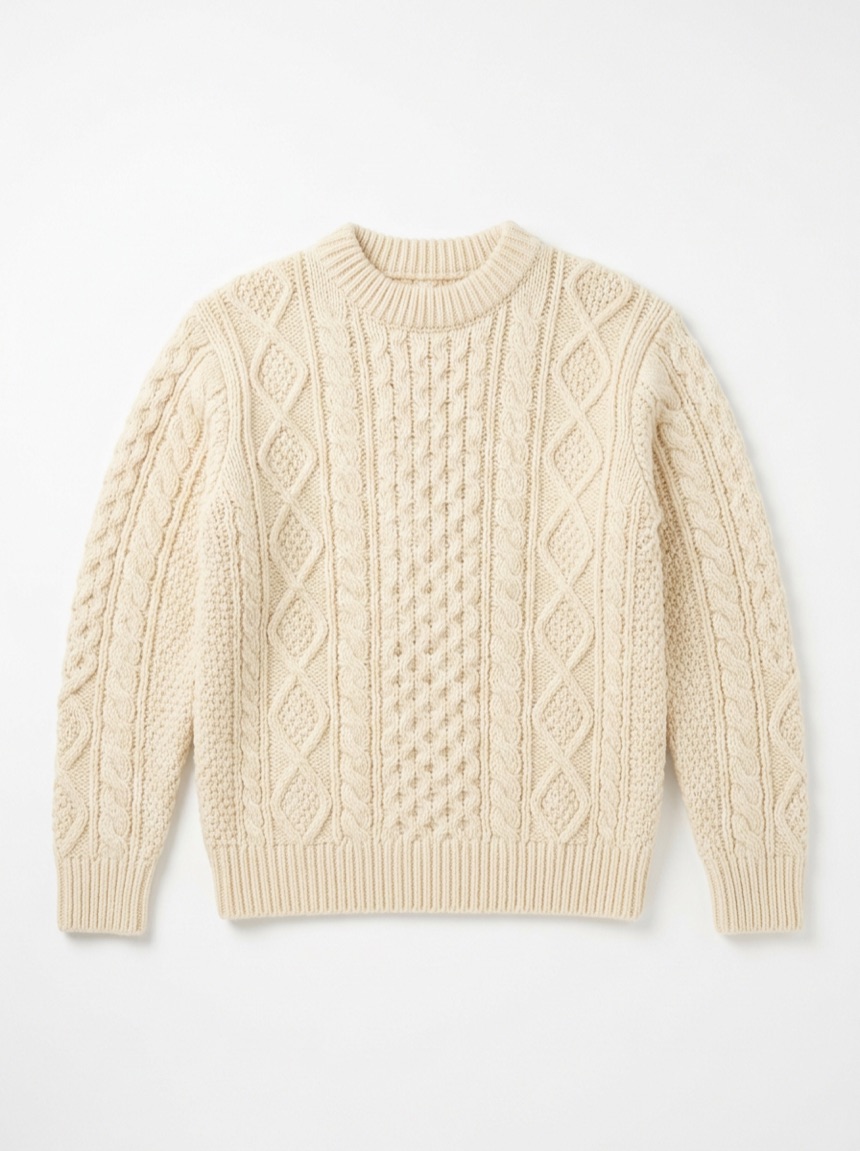
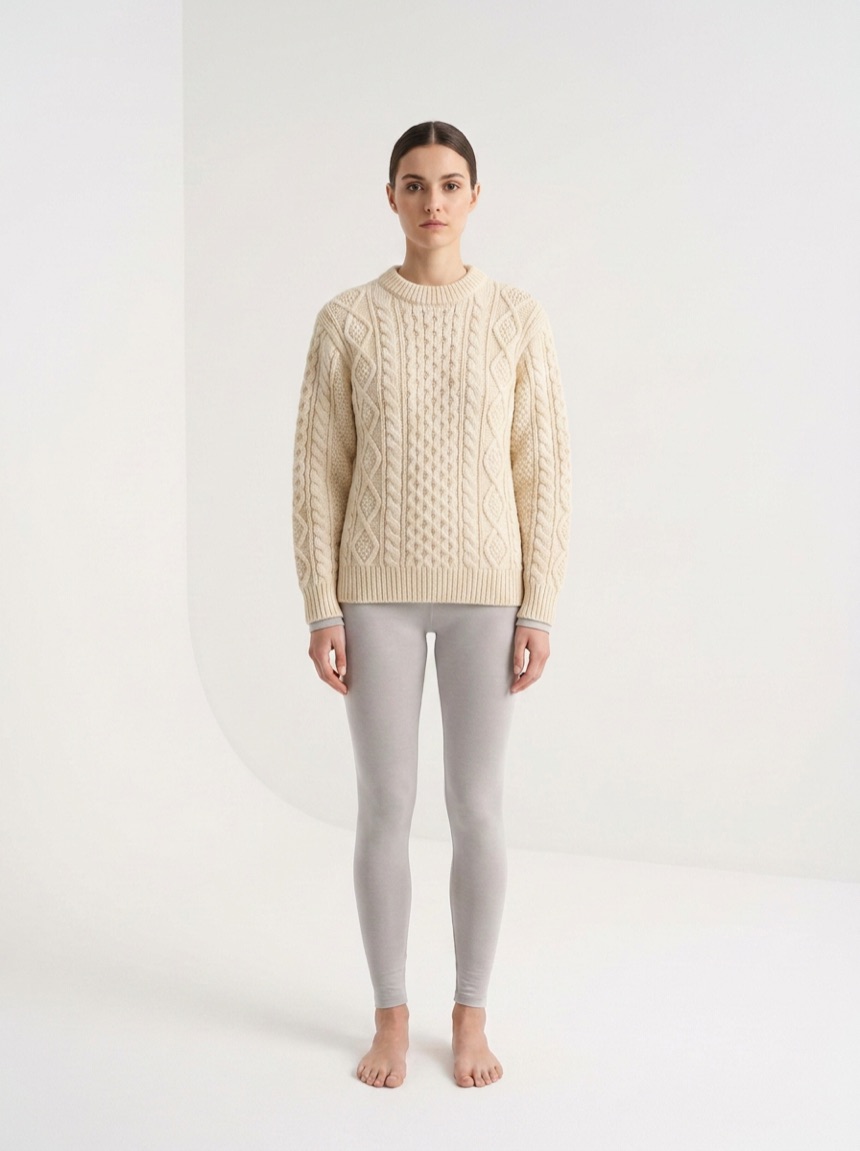
One cable-knit sweater, photographed flat, worn by a model from the library.
How it works
1
Upload the garment
A flat-lay or hanger shot is enough. RorlAI reads the garment type from the photo, and asks you if it cannot tell.
2
Pick a model and a pose
Choose from the library, filtered by size, maternity and modest presentation, then pick how the garment should be worn.
3
Generate the matrix
Models multiply by poses. Two models and three poses is six finished images from one upload, priced per image.
What it supports
- Garment types
- Top, bottom, top and bottom, dress, one-piece, jumpsuit
- Fit
- As shown, relaxed, fitted, oversized
- Sleeves and tuck
- Rolled, pushed-up · tucked, untucked, french tuck
- Preserved detail
- Print, texture, hardware, label
- Ratios
- 1:1, 3:4, 4:5, 2:3, 9:16 at 2K or 4K
What it will not do
The garment is regenerated onto the model, not cut out and pasted. Preserve print and texture keep the detail honest, but a complex all-over graphic is the hardest case and worth checking before you list it.
Try it on your own product
Kostenlos testen. 20 Credits bei der Registrierung, ohne Karte.